
Your sailing logbook writes itself.
Saildays records your track and logs every tack, gybe and course change with the time and position. You sail, the app keeps the log.
Get it on Google PlaySee what it does
Android app. One-time purchase, no account, no ads. Your trips stay on your phone.
What it does
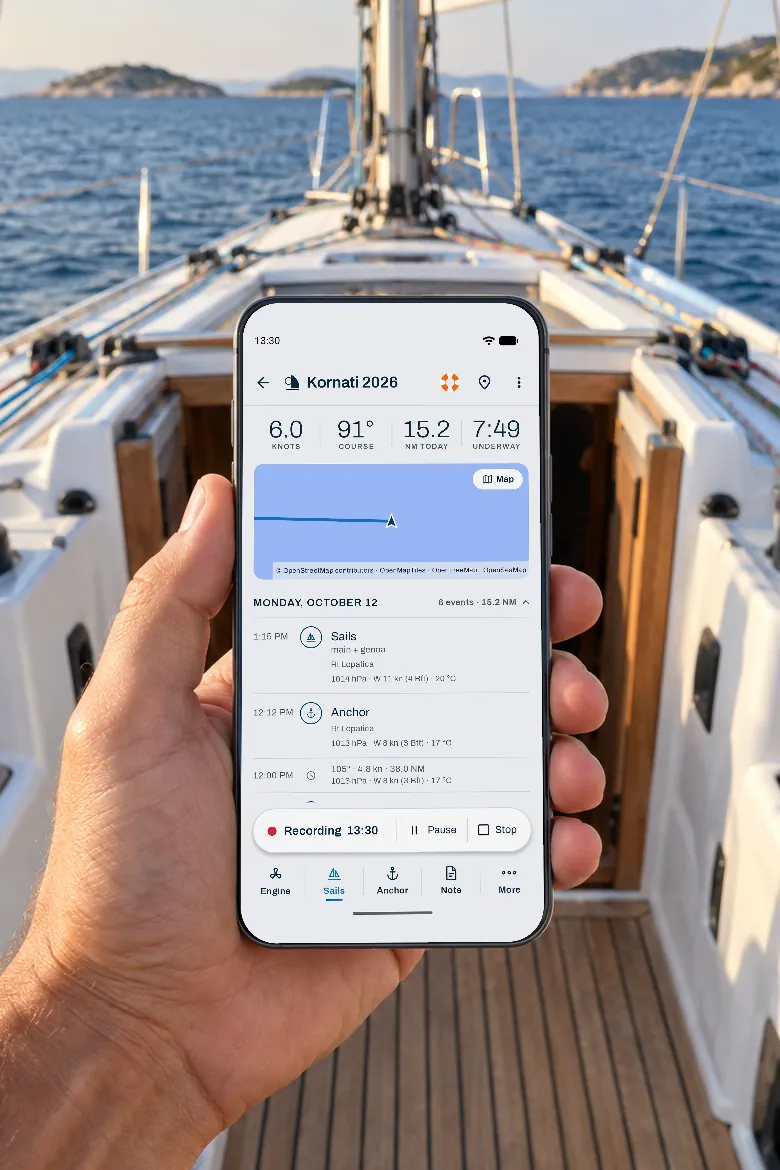
Tap Start recording when you cast off. Saildays keeps recording with the screen off and without signal, and every entry gets the time and position. When you are back, the trip is already written down.
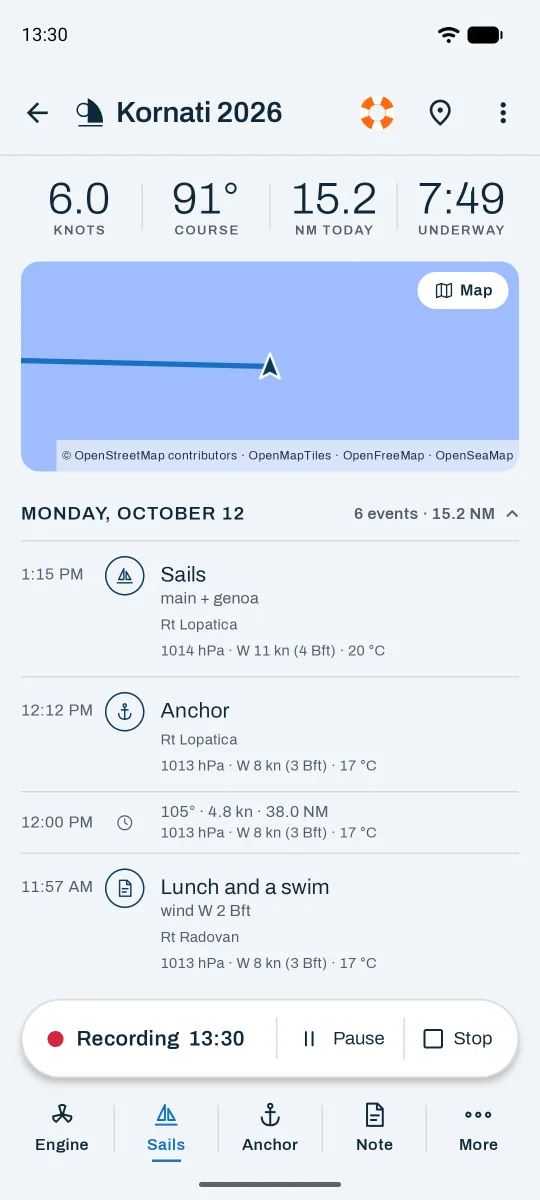
Records the trip for you
Every course change of 30° or more goes into the log with the time and position where the turn began. After 10 minutes without moving a silent notification asks: anchor, marina or other. When you get going again it asks: engine or sails. The thresholds can be changed in Settings.
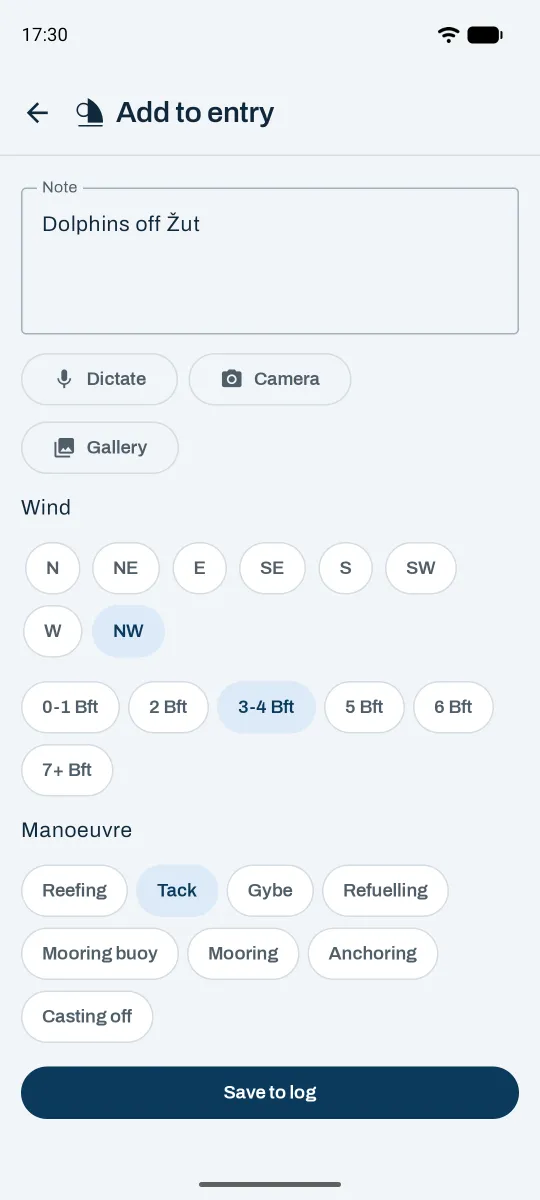
Everything else in one tap
Engine, sails with reefs, anchor, marina, mooring buoy or shore lines, each with one tap and your current position. Notes take wind, manoeuvre, dictation and photos. There is a radio log with the channel and type of call, and a man overboard button that points you back to the spot.
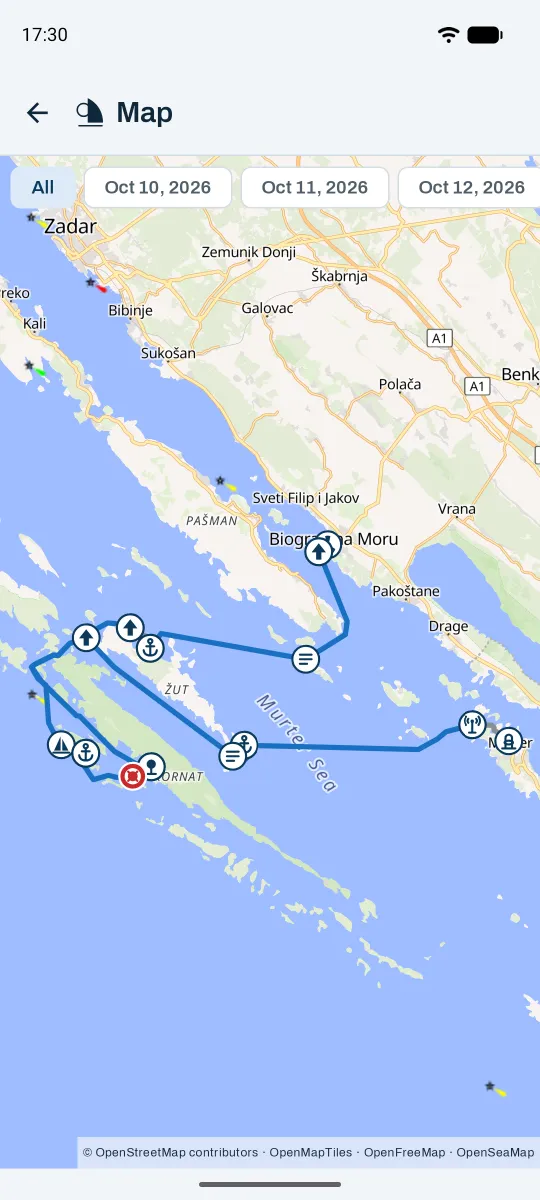
A real sea map
Your track on OpenStreetMap with OpenSeaMap seamarks: buoys, lights and harbours. Coloured by sails and engine, with every log entry on it. Map areas you have viewed stay on your phone (up to 200 MB), so the map works offline too.

- 10:00Blitvenica · 2.3 NM SW · 096° · 5.4 kn
- 11:00Žirje · 1.4 NM S · 091° · 5.9 kn
- 12:00Kaprije · 0.8 NM NE · 088° · 4.8 kn
- 13:00Zlarin · 1.9 NM E · 074° · 5.1 kn
A log entry every hour
New in version 1.5
While you are under way, Saildays logs course, speed and distance every hour by itself. Change the interval or turn it off in Settings. The position reads in words instead of coordinates: the nearest harbour, marina, lighthouse, island or cape with distance and direction. The list of places is on your phone, so it works without signal.
- Pressure
- 1016 hPa
- Wind
- NW 12 kn
- Air temperature
- 21 °C
- Cloud cover
- 40 %
- Precipitation
- 0.0 mm/h
Weather with your log entries
New in version 1.5
When your phone is online, each new log entry gets pressure, wind, temperature, cloud cover and precipitation. The data comes from MET Norway, the Norwegian weather service. You can turn it off in Settings.
- Sat 10 Oct 07:40Tom (skipper): joined
- Sat 10 Oct 07:40Anna: joined
- Sun 11 Oct 16:20Anna: left
- Sun 11 Oct 17:05Eva: joined
Crew and changes
New in version 1.5
Keep a list of who is on board and who is the skipper. When someone joins or leaves during the trip, the log knows, and the PDF logbook shows the crew and its changes in the header.
- LogbookKornati 2026Monday 12 October 2026
Time Position Course Speed Entry 09:51 43°50.4' N 15°15.6' E 096° 5.4 kn Sails: main + genoa 10:46 43°51.0' N 15°22.8' E 091° 5.9 kn Course change 83° to 91° 11:30 43°50.9' N 15°28.8' E 088° 4.8 kn Lunch and a swim, wind W 2 Bft 11:44 43°51.1' N 15°30.0' E - 0.0 kn Anchor 14:10 43°49.2' N 15°35.4' E - - Marina Skipper (name, signature)Datepage 3 / 3A logbook you can sign
Export a PDF logbook that looks like the paper one: every entry by day with time, position, course and speed, ready to print. The last page has a signature line for the skipper, so the printout can serve as a record of your sea miles.
- Counter at cast off
- 1,204.3 h
- Counter at the end
- 1,205.4 h
- Under engine this trip
- 1 h 09 min
- Total for the boat
- 38.6 h
Engine hours
Enter the counter reading when you cast off. The trip summary and the PDF show the reading at the end and the time under engine, and the total for your boat adds up across all trips.
- Sat 10 Oct 06:15Start of recording, drive to the marina
- Sat 10 Oct 07:40Start of trip, moved here
- Sun 11 OctRecording paused, day ashore
- Mon 12 Oct 14:10Trip ended
Pause, and fix the start or end
Pause recording for a day ashore and resume with one tap. Started recording in the car, or forgot to end the trip? Move the start or end afterwards; what lies outside the new range is removed.
- Engine oil change
- in 18 h
- Fuel remaining
- 74 l
- Consumption
- 2.4 l/h
- Range
- 31 h
- Water
- 60 %
Boat: maintenance, fuel, water
New in version 1.5
The Boat screen tracks maintenance: tasks with an interval by date or engine hours, and a silent reminder when one is due. Log your refuels and Saildays works out consumption and range. For water you keep refills and the tank level.
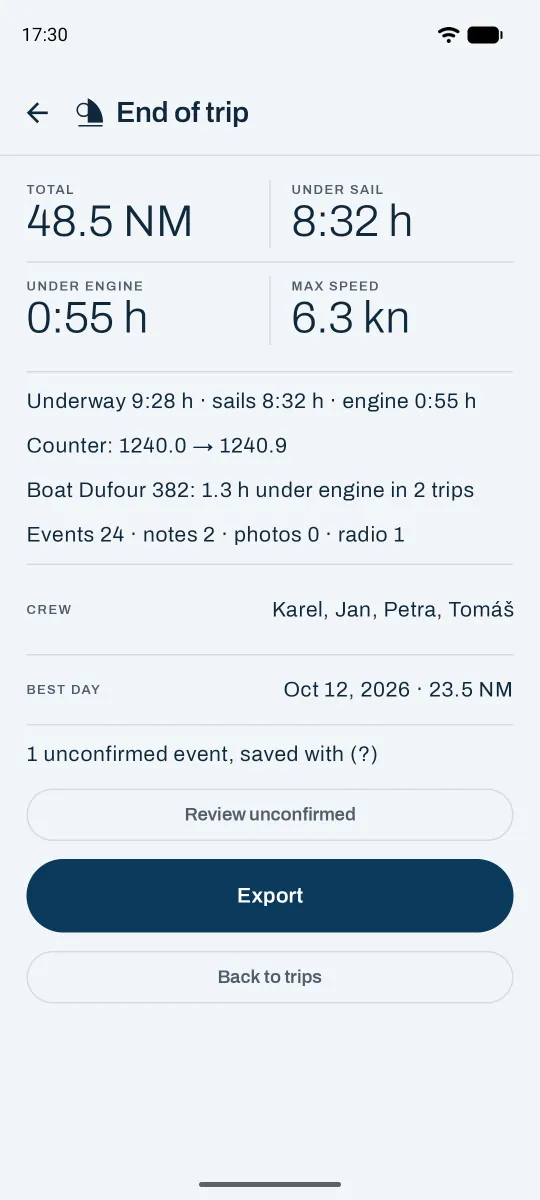
Export when you need it
CSV and KML new in version 1.5
A finished trip goes out as a ZIP with a GPX track for any map app, a JSON file with the whole log, a CSV table, a KML track for Google Earth and the photos you attached, or as the PDF logbook. Send it to Google Drive or by e-mail, or keep it on your phone.
How it works
Start recording
Tap Start recording when you cast off. A notification shows that recording is running, even with the screen off.
Sail
Saildays logs course changes and asks about stops and departures. Answer right in the notification, or later in the log.
Look back
Browse the log day by day, see the trip on the map, and export it or print the PDF logbook when you are home.
Private by design
- Your trips stay on your phone. There is no server and nothing is sent to us. Location is used only while you record.
- No account. No sign-up, no e-mail, just open the app and sail.
- No ads, no analytics, no tracking. One purchase, no subscription.
Only two requests leave your phone: map tiles from OpenFreeMap and OpenSeaMap, which see your IP address and the map area, and weather for your log entries from MET Norway, which sees your IP address and your position rounded to about 1 km. Weather can be turned off in Settings. Details in the privacy policy.
In 21 languages
Saildays follows the language of your phone, or the one you pick in Settings. Units: nautical miles, knots and degrees. Dark mode included.
English · Čeština · Deutsch · Français · Español · Italiano · Nederlands · Polski · Português · Dansk · Svenska · Norsk · Suomi · Slovenčina · Hrvatski · Slovenščina · Ελληνικά · Türkçe · Magyar · 日本語 · 한국어
Saildays is on Google Play
One-time purchase, no subscription, no account and no ads. Install it on your Android phone before your next trip.